February 2026
Last updated: March 10, 2026
Improved Boards and Assistant Capabilities
Share Assistant Conversations
You can now send your assistant conversations to teammates with a single click. Click Share to generate a unique link—anyone on your team can open it to see the full conversation, including all the charts, tables, and answers the assistant provided.
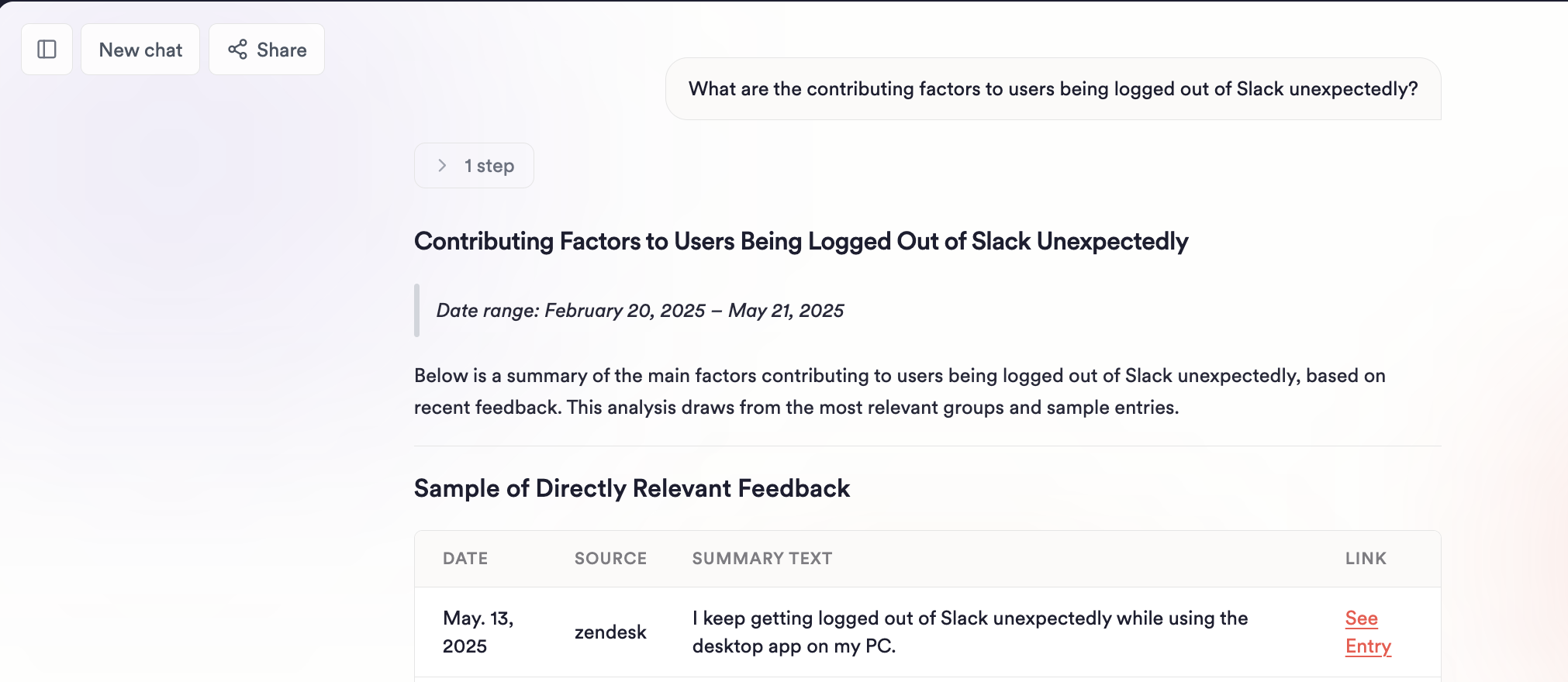
When you open a shared conversation, you're viewing a snapshot. Ask a follow-up question and Unwrap automatically creates your own copy so you can keep digging without affecting the original.
Edit Charts with the Unwrap Assistant
You can now use the AI assistant to build and modify charts directly. Click Edit with Assistant to open a sidebar where you can describe what you want to see—the assistant updates your chart in real time.
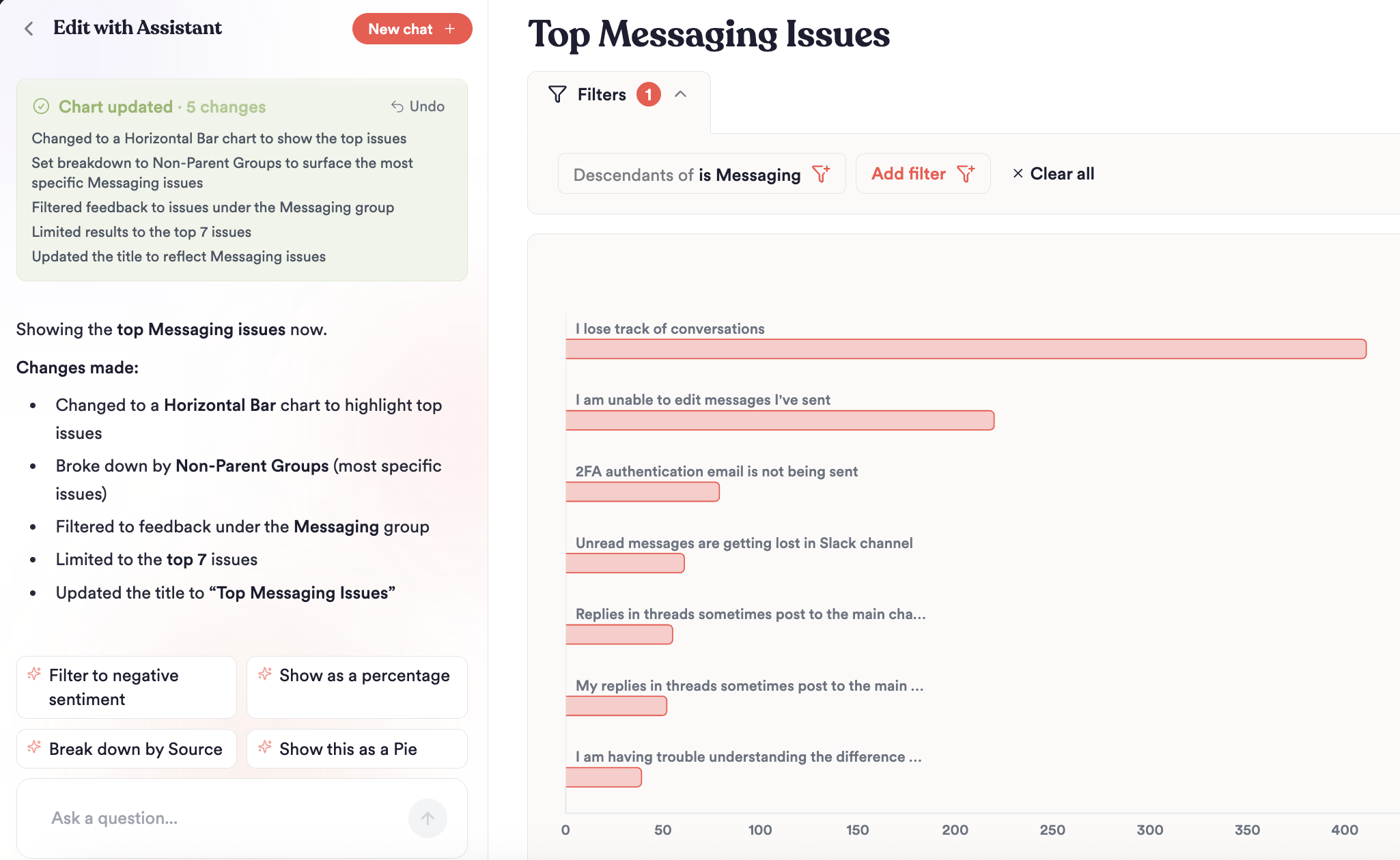
What you can do:
Ask the assistant to change chart types, add breakdowns, apply filters, or adjust date ranges
Explore insights assistant with prompts like “Show me the top issues under [Group Name] then breakdown by [customer cohort]”
Sort and limit results with natural language
Board Folders
We've introduced more structure to the Boards page! You can now use folders to organize collections of Boards by team, product area, workflow, and more.
The new sidebar layout puts everything at your fingertips:
Recently Viewed – quickly jump back to Boards you've been working on
Most Popular – see which Boards your team visits most
My Drafts – keep in-progress work private until you're ready to share
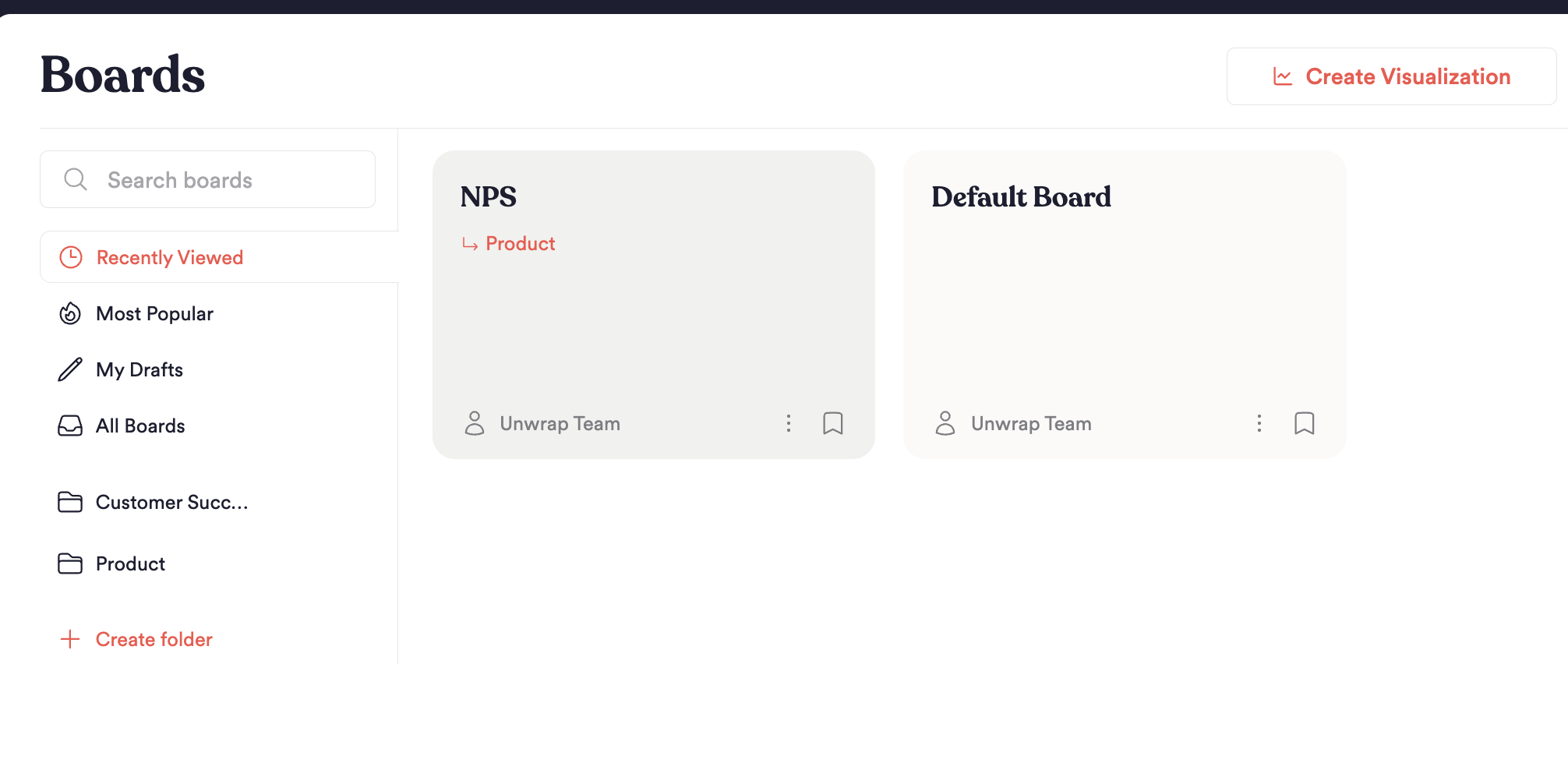
Folders let you group related boards together. Create a folder, add published boards to it, and share it with teammates—they'll get an email notification and can subscribe to stay updated. Additionally, you can now pin Boards to the Unwrap Homepage
Quality of Life Improvements
Charts on the Group Page now show indicators when linked tickets were closed. Hover over an indicator to see ticket details (name, platform, close date), or click to open the ticket directly.
Linked actions from Jira, Linear, and Asana now display their actual workflow status—not just "Open" or "Closed." See granular statuses like "QA Review," "In Testing," or "Shipped" directly in Unwrap.
New Integrations
AWS Connect